Pricing & estimates
Let visitors explore quantities, options or service requirements using your pricing rules. Define exclusions and when an estimate needs a person to confirm it.
Custom website calculators / Australia
Custom calculators and estimators for Australian businesses. Turn specialist formulas, pricing rules or measurement workflows into a useful part of your website.
When a custom tool makes sense
A standard calculator is useful until your process needs different inputs, exceptions or an explanation alongside the answer.
A custom website calculator can guide a visitor through the information you need, apply your calculation rules and present a result in your business’s own visual style. It can support a service enquiry or help someone understand a specialist assessment before contacting you.
Start with the formula or current spreadsheet and a few worked examples. Together we can decide which inputs belong in the interface, what needs checking and how to explain the result. A price estimate, an indicative assessment and a formal quote have different requirements; the tool should make that distinction clear.
Possible applications
Let visitors explore quantities, options or service requirements using your pricing rules. Define exclusions and when an estimate needs a person to confirm it.
Make domain-specific measurements easier to enter and interpret. Units, alternate input methods and unusual cases can be designed into the workflow.
Give visitors a useful tool within your existing site. The integration approach depends on the platform, data involved and how the result will be used.
Delivered client work
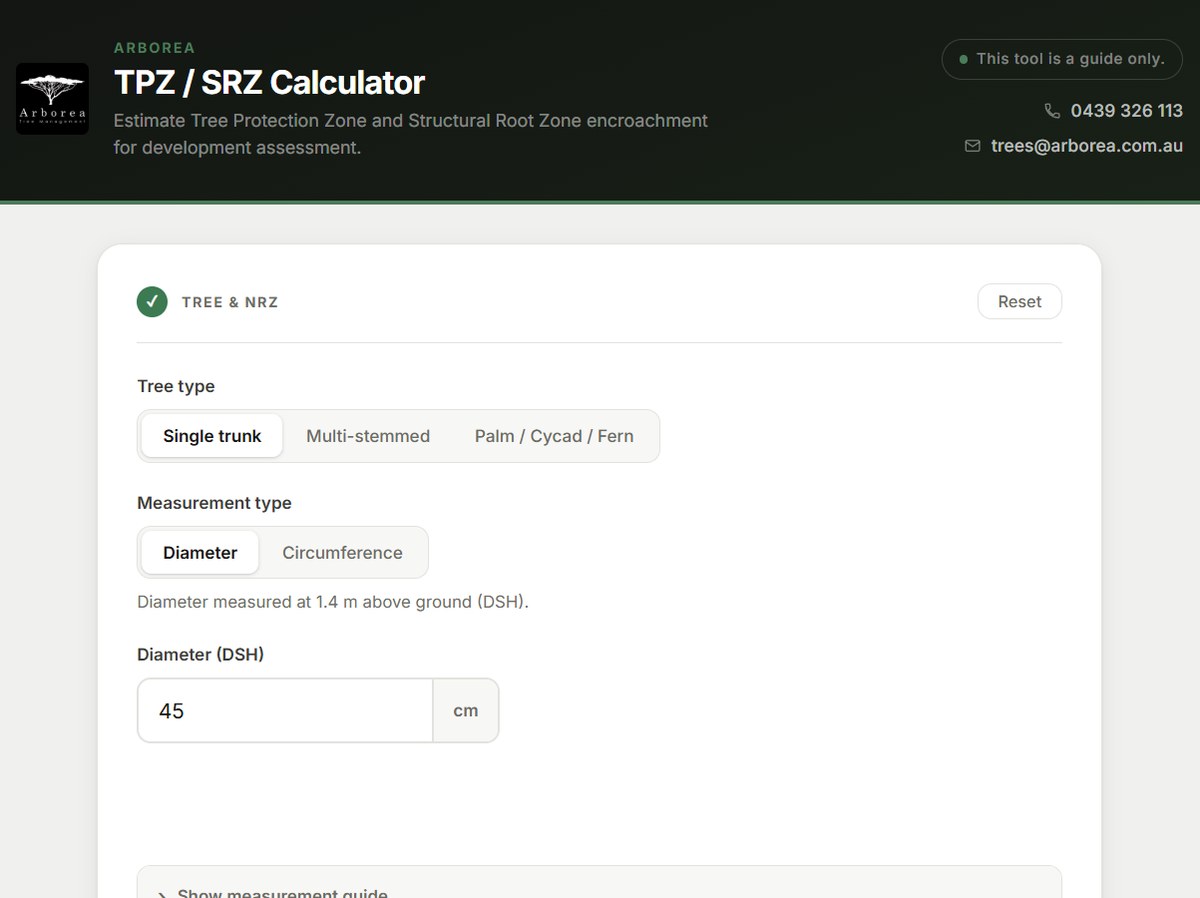
For Arborea Tree Management, the build brings tree measurements, tree protection zones, structural root zones and encroachment assessment into one branded tool.
The interface supports diameter and circumference inputs, different tree types and progressive results.
Read the Arborea case study ↗Planning your calculator
We can scope the interface, validation, integration and testing from those details. Your domain expertise remains essential: calculation outputs should be checked against agreed examples before release.
Common questions
Often, yes. The right approach depends on your website platform and the tool’s requirements. Arborea is an example of a calculator embedded in an existing client website.
Mobile use belongs in the scope from the start. Input controls, result layouts and the amount of information shown need to suit the people using the tool.
Cost depends on the logic, number of inputs, design, integrations and testing required. A focused calculator and a system that saves customer records have different scopes. We agree the scope and quote before work begins.
That may call for a broader business tool. See custom business tools and quoting workflows for how we can scope the complete process.
A useful place to start
A useful first conversation starts with the problem you want to solve.